
SiteLedger: giving a construction contractor a daily, honest picture of every site
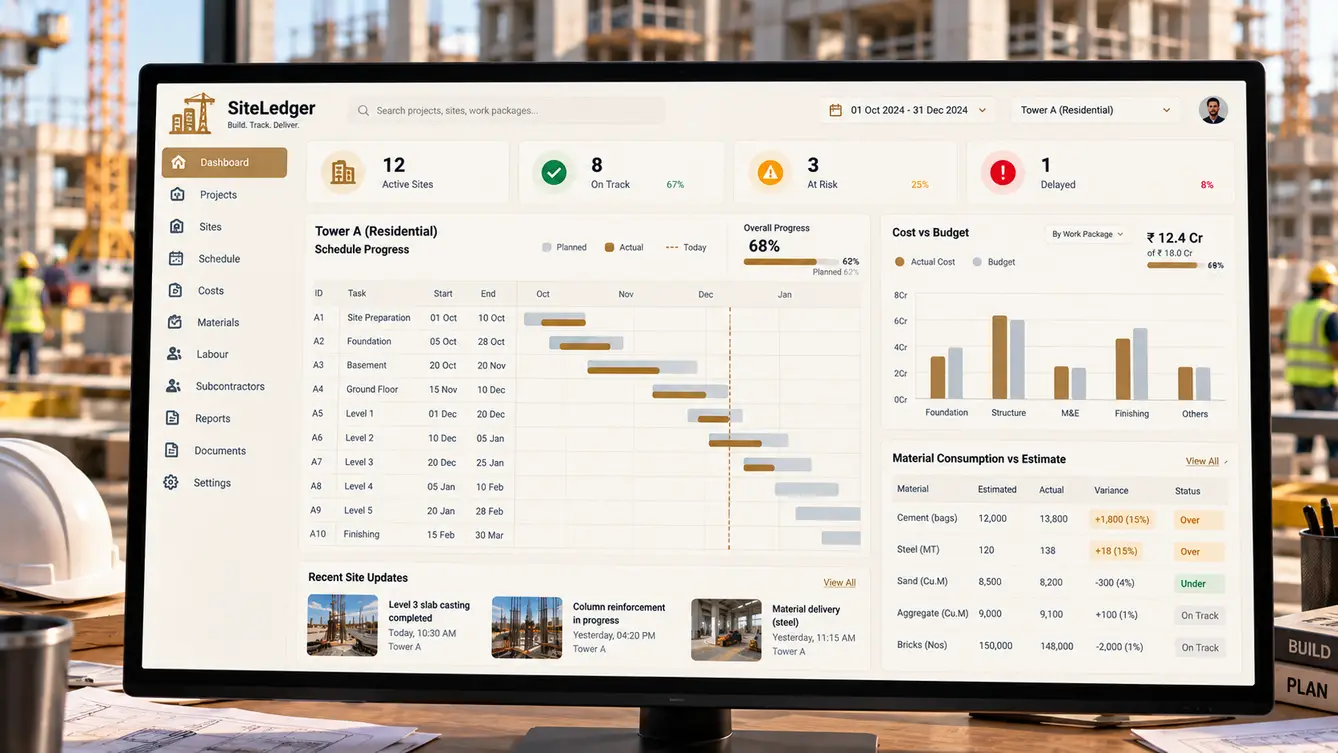
A civil contractor running a dozen sites learned about delays and cost overruns weeks late, from site engineers' monthly reports. We built SiteLedger: daily progress reports with photos, labour attendance, material requests and consumption, subcontractor billing and project dashboards — 25 features built for engineers who work in dust, not in offices.
Finding out a month too late
SiteLedger's founder ran a civil contracting business with around a dozen active sites: residential towers, a school, warehouses. Each site sent a monthly report. By the time a report showed a delay or a cost overrun, the problem was weeks old and expensive to fix.
Between reports, the founder relied on phone calls and site visits. Material went missing, labour counts on bills did not match what supervisors saw, and subcontractors billed for work that was not quite finished.
“I only ever find out about a problem when it's already a crisis.”
Days on site
We spent days on three sites with engineers and store keepers. Engineers already wrote daily notes in diaries; store keepers kept material registers; labour contractors kept their own attendance. The information existed every day — it just stayed on site.
The constraints were clear: phones in dusty pockets, gloves, bright sun, patchy signal on upper floors and very little patience for forms.
- Labour billed that was not present
- Material issued without recorded consumption
- Subcontractor bills ahead of actual progress
- Delays noticed only in monthly reports

A daily report in five minutes
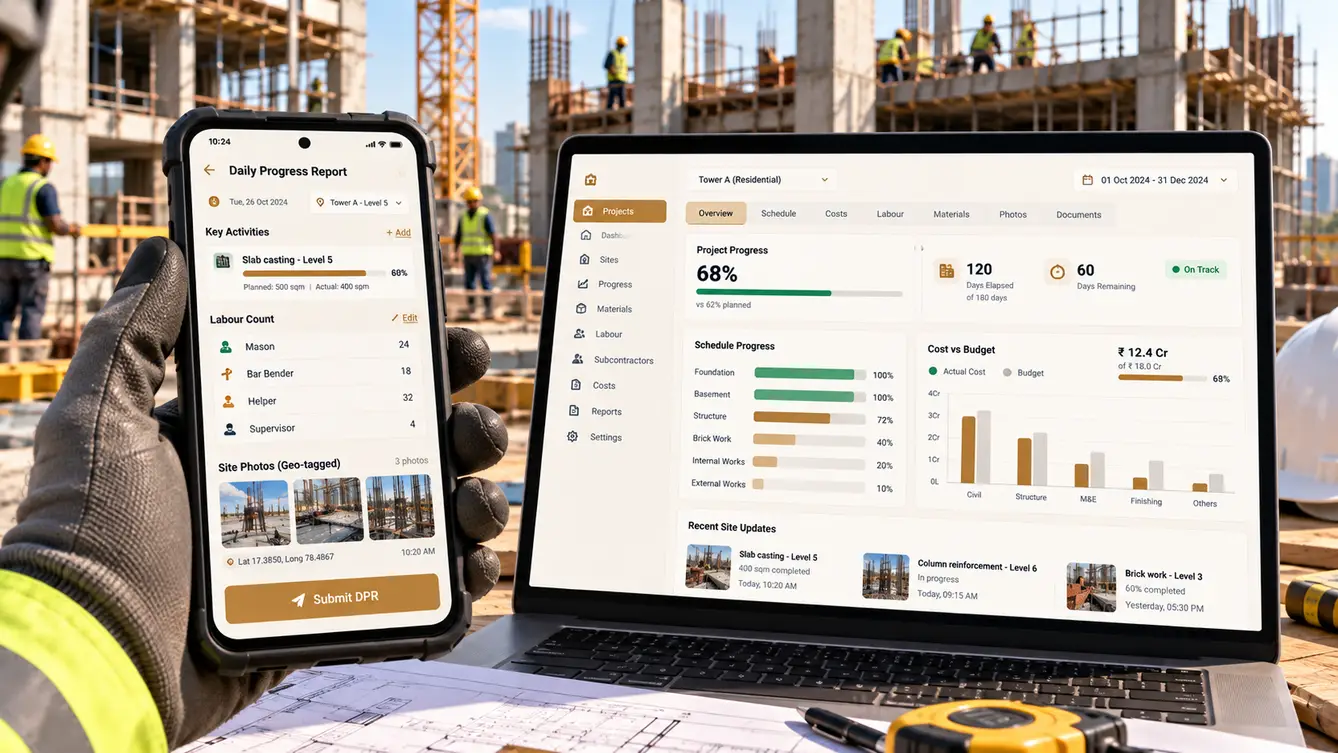
The site engineer app turns the diary into a daily progress report that takes minutes: choose activities from the project plan, set progress with a slider, add labour by trade and attach geo-tagged photos. It works offline and syncs when the engineer reaches signal.
Labour attendance uses face-based check-in at the site gate, so the labour contractor's bill can be checked against actual attendance. Material issues and consumption are recorded by the store keeper and compared with what the plan says each activity should use.
The team
A mobile-heavy team, with the designer spending the first weeks on sites.
Founder and project manager workshops, site rollout.
Site apps tested on location.
Offline engineer and store keeper apps.
Project control app and owner dashboard.
Projects, BOQ, materials, labour and billing.
Progress, cost and material variance analytics.
7 people in total, working as one team.
Decisions we made
Agreed with the founder, project managers and site engineers.
Monthly or daily reporting?
- Better monthly reports
- Short daily progress reports
Our call: Short daily progress reports. Problems caught daily are cheap to fix. A five-minute daily report beat an exhaustive monthly one.
How to verify labour?
- Contractor's registers
- Face-based check-in at the site gate
Our call: Face-based check-in at the site gate. Independent attendance made labour bills verifiable without disputes over paper registers.
Online or offline apps?
- Online only
- Offline-first with sync
Our call: Offline-first with sync. Upper floors and basements have no signal; work must never be lost.
Generic project software or construction-specific?
- General project management tool
- Built around BOQ, activities, materials and subcontractors
Our call: Built around BOQ, activities, materials and subcontractors. Construction runs on bills of quantities and measured progress; generic task tools could not link progress to cost.
The 25 features
Everything that shipped for sites, stores, project control and the owner.
- 01Daily progress reports
Activities, progress and notes from the plan.
- 02Geo-tagged photos
Progress photos with location and time.
- 03Offline mode
Work without signal; sync later.
- 04Issue reporting
Hindrances and safety issues with photos.
- 05Drawings on site
Latest approved drawings available offline.
- 06Face-based attendance
Check-in and check-out at the site gate.
- 07Labour by trade
Headcount by trade and contractor.
- 08Labour bill verification
Bills checked against attendance.
- 09Safety induction records
Inductions logged per worker.
- 10Material requests
Requests raised from site with approvals.
- 11Goods receipt
Deliveries recorded against purchase orders.
- 12Issue and consumption
Material issued to activities.
- 13Variance alerts
Consumption compared with planned quantities.
- 14Site stock
Stock on hand per site.
- 15BOQ and schedule
Bills of quantities linked to activities.
- 16Planned vs actual
Progress against schedule by activity.
- 17Cost vs budget
Cost tracking by work package.
- 18Subcontractor billing
Bills checked against measured progress.
- 19Owner dashboard
All sites' status in one view.
- 20Client progress reports
Reports for project owners generated from DPRs.
- 21Role-based access
Engineers, store keepers, managers and owner.
- 22Audit trail
Every approval and change recorded.
- 23Document management
Drawings, approvals and contracts by project.
- 24Accounting export
Bills and purchases to accounts.
- 25Alerts
Delays, overruns and missing reports flagged.
Rollout
Two sites piloted SiteLedger for a month, with our designer returning weekly to watch how engineers used it. The biggest change came from daily visibility: project managers started calling sites about small slippages the day they happened, not the month after.
- Weeks 1–2Discovery
Days on three sites with engineers and store keepers.
- Weeks 3–4Design
Site apps tested on location.
- Weeks 5–12Build
Site apps, attendance, materials and project control.
- Weeks 13–16Two-site pilot
A month of daily use with weekly design visits.
- Weeks 17–18All sites
Rollout across the remaining sites.
What we learned
Capture information where it already exists. Engineers were already writing daily notes; the app just made them useful to everyone.
Daily beats detailed. A short, daily report was far more valuable than a long monthly one.
- React Native
- Next.js
- NestJS
- PostgreSQL
- Offline sync
- Face-based attendance
- Photo geo-tagging
- AWS Mumbai
