
FitoutFlow: how an interior design firm stopped losing weeks to approvals over WhatsApp
An interior design and fit-out firm delivered homes and offices, but every project stalled on client approvals scattered across WhatsApp, changes that never reached the site, and vendor orders tracked in notebooks. We built FitoutFlow: a client app for design approvals and payments, a change-order workflow, site progress updates, vendor purchase tracking and project budgets.
Approvals lost in a WhatsApp scroll
FitoutFlow's principal designer showed us a client WhatsApp group with hundreds of messages: renders, questions, 'looks good', changes, second thoughts. When a finished kitchen did not match what the client remembered approving, nobody could find the approval. Changes agreed with the client did not always reach the carpenter on site.
“Design is the easy part. Proving what the client approved is the hard part.”
Following two projects
We followed a home and an office project. Delays came from approvals waiting days, changes causing rework, and vendors delivering the wrong material because orders were communicated verbally. Clients felt anxious because they rarely knew what was happening on site.
- Approvals scattered and hard to prove
- Changes not reaching the site team
- Vendor orders tracked verbally
- Clients unsure what was happening

Every decision on the record
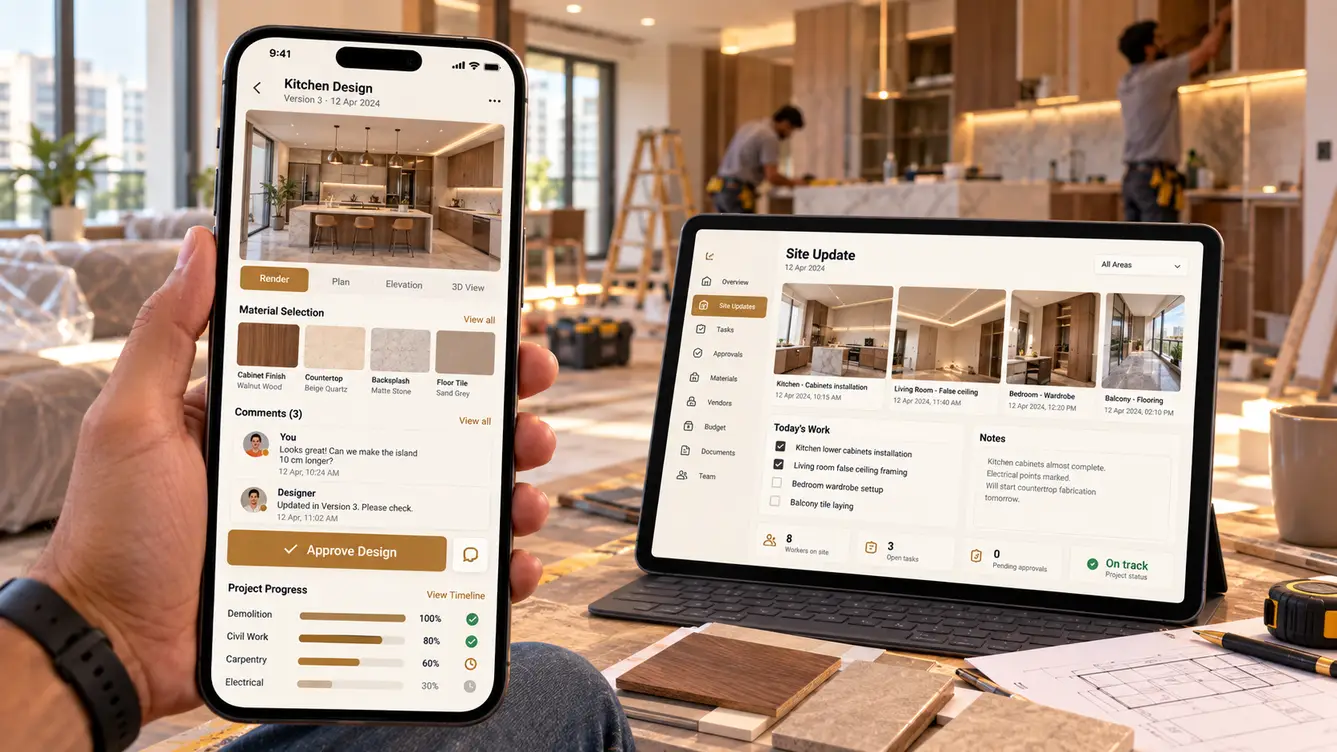
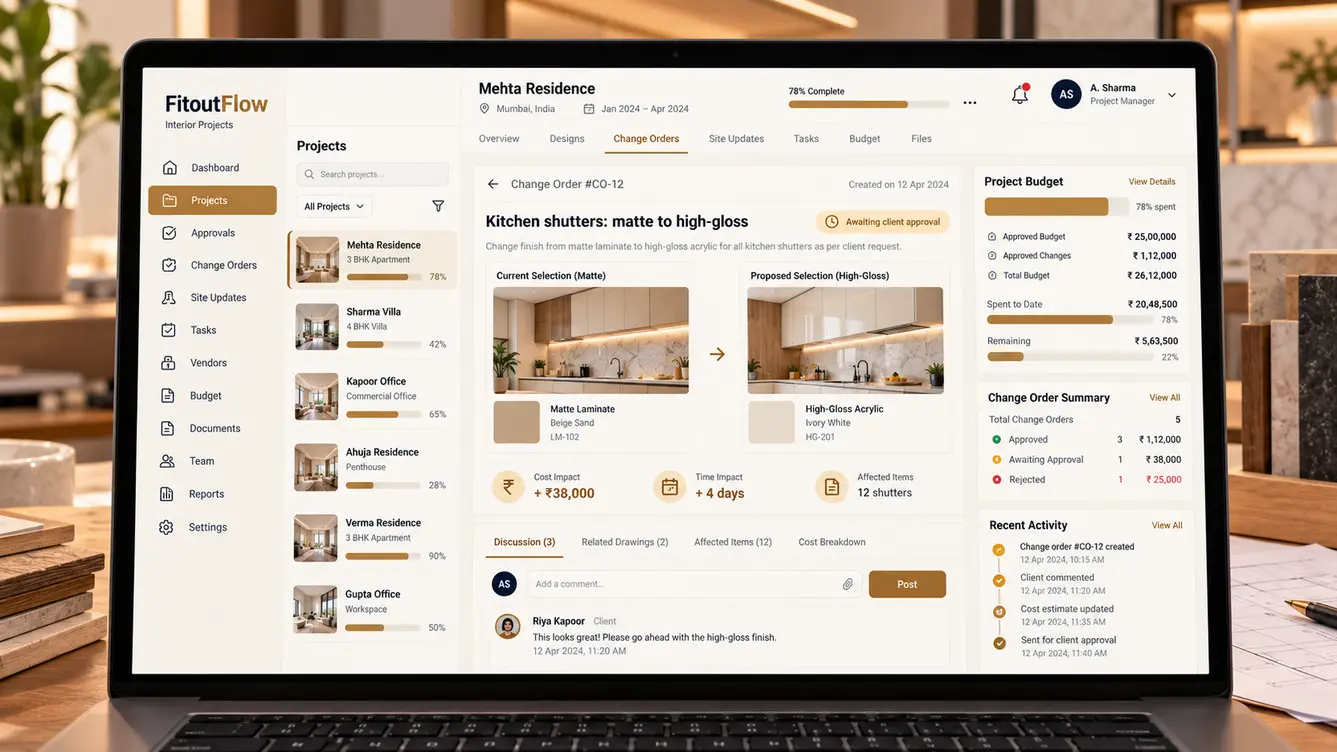
In FitoutFlow, each design element — layouts, renders, materials — is presented for approval with a clear approve or comment action, and the approved version is locked. Changes after approval become change orders with cost and time impact, approved by the client before work starts, and pushed to the site manager's app automatically.
Site managers post daily progress with photos. Vendor orders are placed against approved specifications, and clients pay milestones in the app.
The team
A small team with a designer who had worked in interiors.
Project observation and launch.
Client approvals and site app.
Client and site manager apps.
Project console, budgets and vendors.
5 people in total, working as one team.
Decisions we made
Agreed with the principal designer and project heads.
WhatsApp or structured approvals?
- Keep WhatsApp
- Structured approvals with locked versions
Our call: Structured approvals with locked versions. A clear, locked approval record ended disputes.
Handle changes informally?
- Verbal changes
- Change orders with cost and time impact
Our call: Change orders with cost and time impact. Clients understood the consequences of changes before agreeing.
Client visibility?
- Updates on request
- Daily photo updates
Our call: Daily photo updates. Visibility reduced anxiety and calls.
Every feature, module by module
Everything that shipped for clients, designers, site teams and management.
- 01Design approvals
Approve renders, layouts and materials.
- 02Comment threads
Discuss each design element.
- 03Change order approvals
See cost and time impact first.
- 04Daily progress feed
Photos from site.
- 05Milestone payments
Pay in the app.
- 06Design versioning
Versions with locked approvals.
- 07Material library
Finishes and specifications.
- 08Render and drawing viewer
Share designs clearly.
- 09Client meeting notes
Decisions recorded.
- 10Site manager app
Tasks, progress and photos.
- 11Approved specs on site
Latest approved details for workers.
- 12Vendor purchase orders
Orders against approved specs.
- 13Delivery tracking
Materials received and checked.
- 14Snag lists
Snags recorded and closed before handover.
- 15Project budgets
Approved, changes and spend.
- 16Timeline tracking
Milestones and delays.
- 17Portfolio dashboard
All projects at a glance.
- 18Role-based access
Clients, designers, site and management.
- 19Audit trail
Approvals and changes recorded.
Launch
New projects started on FitoutFlow first. Within weeks, disputes over what had been approved effectively stopped, and clients began recommending the firm for how well informed they felt.
- Weeks 1–2Discovery
Two projects followed.
- Weeks 3–4Design
Approval and change-order flows.
- Weeks 5–11Build
Apps, console, vendors and payments.
- Weeks 12–13Pilot projects
New projects on FitoutFlow.
- Week 14Launch
All new projects.
What we learned
Lock what's approved. A clear record ended disputes.
Keep clients in the loop. Daily photos reduced anxious calls more than any promise.
- React Native
- Next.js
- NestJS
- PostgreSQL
- Drawing and render viewer
- Payment gateway
- WhatsApp Business API
- AWS Mumbai
