
Shishya: how a group of schools replaced six apps, three spreadsheets and a lot of paper diaries with one platform
A group of K-12 schools had a separate app for fees, another for attendance, a third for homework and a WhatsApp group for everything else. Teachers were drowning and parents were confused. We built Shishya: a school operating system with attendance, homework, exams and report cards, fees, transport tracking and a single parent app — 27 features designed to give teachers time back.
Six apps and one exhausted teacher
Shishya's director asked us to meet a class teacher before meeting anyone else. She showed us her phone: an attendance app, a homework app, a fee reminder app, two WhatsApp groups per class and a spreadsheet for marks that she emailed to the office each term. She spent close to an hour a day on administration before teaching anything.
Parents were just as confused. Different information arrived through different apps, notices were lost in busy WhatsApp groups, and fee receipts lived in yet another place. The school group was about to add more campuses, and the director did not want to multiply the chaos.
“Our teachers became data-entry operators. I want them back in the classroom.”
Following a school day
We followed a school day from the first bus in the morning to the last parent call in the evening. The biggest time sinks for teachers were attendance, homework communication, marks entry and answering parents' questions that the school could have answered automatically — "did my child reach school?", "what is the homework?", "when is the fee due?"
The admin office had its own pain: fee collection across instalment plans and siblings, admissions in the busy season and producing report cards that took the whole staff a week each term.
- Attendance and homework took teachers far longer than they should
- Most parent calls asked questions the system could answer
- Report cards consumed a week of staff time every term
- Every campus had drifted into its own way of doing things

One platform, three simple faces
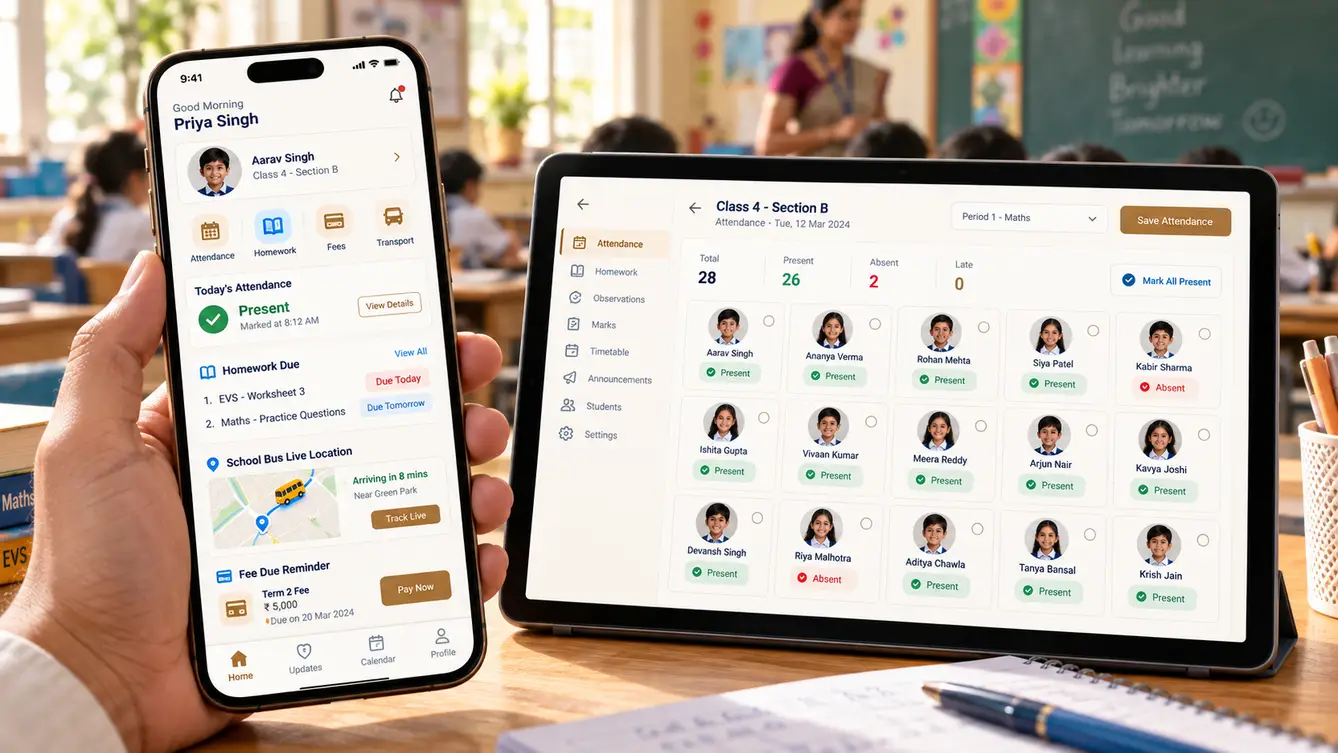
We designed Shishya as one platform with three deliberately different faces. The teacher app does the few things teachers do many times a day, fast: attendance in one tap per student, homework with a photo, marks entry by class. The parent app answers parents' questions before they call. The admin portal handles the heavier work of admissions, fees, timetables and report cards.
For the school group's leadership, a dashboard compares campuses on attendance, fee collection and academic results without anyone compiling reports.
The team
With a fixed deadline — the start of the academic year — we ran two parallel pods, apps and admin, under one engagement lead.
Director and principal workshops, migration and launch planning.
Teacher, parent and admin experiences.
Parent and teacher apps.
Admin portal and leadership dashboard.
Academic records, fees, transport and notifications.
Term-cycle scenarios, fee edge cases and migration checks.
8 people in total, working as one team.
Decisions we made
Several of these came directly from teachers during prototype testing.
One app for everyone or separate apps?
- One app with role switching
- Separate teacher and parent apps on one platform
Our call: Separate teacher and parent apps on one platform. Teachers and parents have very different needs. Separate, focused apps kept each one simple, while sharing one platform and data.
Ban WhatsApp groups?
- Mandate app-only communication
- Keep WhatsApp but move official information into Shishya
Our call: Keep WhatsApp but move official information into Shishya. Banning WhatsApp would have created resistance. Moving the important information into Shishya made the groups less necessary on their own.
Standard report card format?
- One standard template
- Configurable templates per board and campus
Our call: Configurable templates per board and campus. Campuses follow different boards and formats. Configurable templates avoided asking schools to change their established report cards.
Launch mid-year or at the new academic year?
- Launch as soon as ready
- Launch at the start of the academic year
Our call: Launch at the start of the academic year. A new year gives clean records and a natural moment to change habits. Mid-year migration would have split marks and fees across two systems.
The 27 features
Everything that shipped for the new academic year.
- 01One-tap attendance
Mark a class in seconds with student photos.
- 02Homework with photos
Post homework as text or a photo of the board.
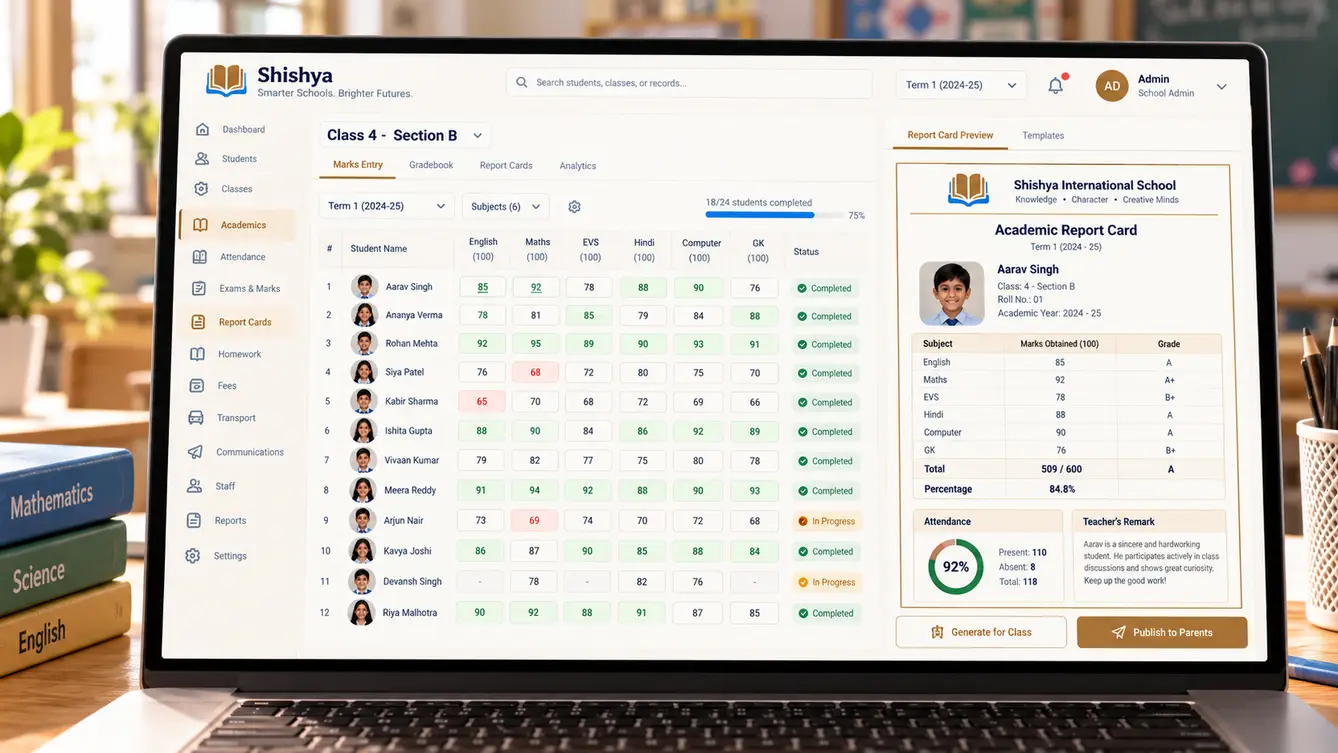
- 03Marks entry
Enter marks by class and test with validation.
- 04Class announcements
Notices to a class or selected parents.
- 05Timetable view
Daily schedule and substitutions.
- 06Leave requests
Apply for leave and see approvals.
- 07Arrival notifications
Alert when the child is marked present.
- 08Homework and notices
Everything from school in one feed.
- 09Live bus tracking
School bus location and arrival estimate.
- 10Fee payments
UPI, card and autopay with receipts.
- 11Report cards and results
Published results and report cards.
- 12Multiple children
Siblings in one account.
- 13Admissions pipeline
Enquiries, applications, tests and admission.
- 14Fee structures and instalments
Plans, concessions and sibling discounts.
- 15Fee collection and dues
Collections, dues and automated reminders.
- 16Timetable builder
Class and teacher timetables with clash checks.
- 17Report card generator
Board-specific templates from entered marks.
- 18Transport management
Routes, stops, buses and GPS devices.
- 19Staff records
Staff profiles, attendance and leave.
- 20Campus comparison dashboard
Attendance, fees and results across campuses.
- 21Role-based access
Permissions for leadership, principals, office and teachers.
- 22Audit trail
Every marks change and fee adjustment recorded.
- 23Data export
Student and fee data exports for the school group.
- 24Parent consent and privacy
Consent for data use and photo sharing captured.
- 25Academic year rollover
Promote classes and carry records into the new year.
- 26Notifications centre
Control over SMS, push and email communications.
- 27Multi-board support
Different boards and grading systems per campus.
Launching with the new academic year
We migrated student records, fee structures and staff over the summer break and trained teachers in the week before school reopened. Parents were onboarded at the first parent-teacher meeting, with volunteers helping them install the app and link their children.
The WhatsApp class groups were not banned, but they quietly became less busy as notices, homework and fee reminders moved into Shishya.
- Weeks 1–2Discovery
A school day followed; teacher, parent and office interviews.
- Weeks 3–5Design
Teacher and parent apps prototyped and tested with staff.
- Weeks 6–15Build
Apps, admin portal, fees and transport in parallel pods.
- Weeks 16–18Summer migration
Records, fees and staff migrated; teachers trained.
- Weeks 19–20New academic year launch
Parents onboarded at the first parent-teacher meeting.
What we learned
Consolidation is a feature. Replacing six apps with one was worth more to teachers and parents than any individual capability.
Deadlines in education are real. Launching with the academic year meant planning backwards from the first day of school and protecting that date.
- React Native
- Next.js
- NestJS
- PostgreSQL
- GPS bus tracking
- Razorpay with UPI Autopay
- AWS Mumbai
