
PitSafe: digitising safety and equipment checks at an open-cast mine
An open-cast mining contractor ran pre-shift equipment checks, permits and safety inspections on paper, and learned about near-misses days later. We built PitSafe: digital pre-start checks for heavy equipment, permit-to-work, hazard and near-miss reporting, equipment tracking and a safety control room — 24 features for a place where a missed check can cost a life.
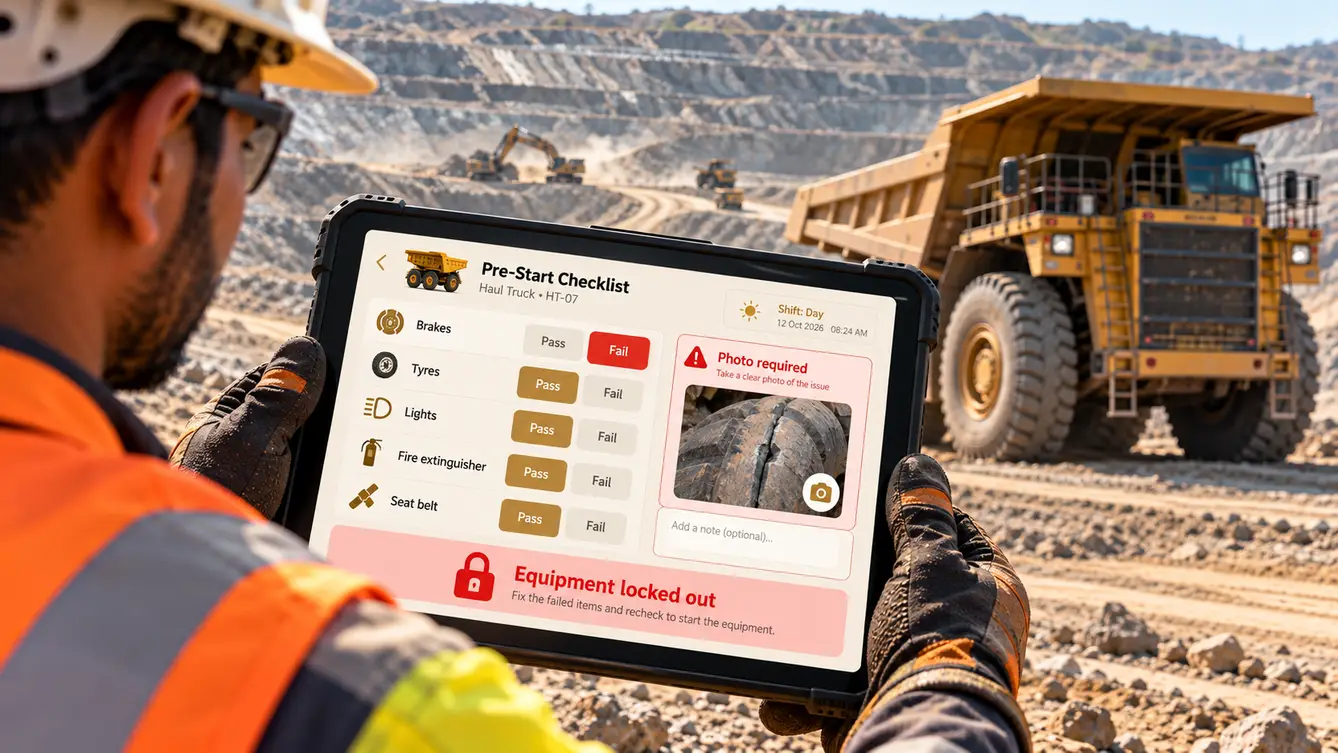
A near-miss nobody heard about
PitSafe's safety head began our first meeting with a near-miss: a dumper with failing brakes that had been ticked as "OK" on a paper pre-start checklist. The operator had noticed the problem and mentioned it verbally; the checklist was completed at the end of the shift from habit. The report reached the safety office three days later.
The contractor had good safety procedures. They lived on paper that was completed late, collected late and read late.
“Our procedures are good. Paper makes them slow, and slow is dangerous.”
Shifts at the mine
We spent shift changes with operators, supervisors and maintenance crews. Connectivity was patchy across the pit, dust and vibration were constant, and operators wore gloves. Checks had to be fast, impossible to skip and effective even without a network.
- Checklists completed after the fact
- Defects reported verbally and forgotten
- Near-misses reaching the office days later
- Permits hard to verify in the field

No check, no start
PitSafe makes the pre-start check part of starting the machine. Operators complete it on a rugged tablet in the cab; a failed critical item requires a photo and locks the equipment out until maintenance clears it. Supervisors see every piece of equipment's status live, and maintenance receives defects the moment they are logged.
Near-misses and hazards can be reported by anyone in seconds, with a photo and location, and reach the safety control room immediately — even if the device syncs later, the report is timestamped when it was made.
The team
A safety-focused team with rigorous QA, because every failure mode mattered.
Safety workshops, shift observations and rollout.
Glove-friendly tablet flows and control room.
Operator and supervisor apps with offline sync.
Control room, permits and reporting.
Equipment status, telematics and sync.
Failure-mode testing and field testing.
7 people in total, working as one team.
Decisions we made
Agreed with the safety head, mine manager and maintenance lead.
Checklist or lockout?
- Digital checklist only
- Checks linked to equipment lockout
Our call: Checks linked to equipment lockout. A checklist can still be skipped. Locking out equipment with a failed critical check made the safe path mandatory.
How to handle connectivity?
- Require signal
- Offline-first with site mesh network and timestamped sync
Our call: Offline-first with site mesh network and timestamped sync. Safety reports cannot wait for signal. Offline capture with accurate timestamps kept the record honest.
Anonymous near-miss reporting?
- Named reports only
- Option to report anonymously
Our call: Option to report anonymously. Anonymous reporting encouraged workers to report near-misses they might otherwise keep quiet about.
Hosting?
- Cloud only
- On-site server with cloud backup
Our call: On-site server with cloud backup. The mine must operate during internet outages. Local servers kept everything running with backups off site.
The 24 features
Everything that shipped across operators, supervisors, maintenance and the control room.
- 01Pre-start checklists
Equipment-specific checks on rugged tablets.
- 02Photo on failure
Failed items require a photo.
- 03Equipment lockout
Critical failures lock equipment until cleared.
- 04Glove-friendly interface
Large controls and high contrast.
- 05Offline operation
Checks work without signal.
- 06Near-miss reporting
Report with photo and location in seconds.
- 07Hazard reporting
Record hazards with severity.
- 08Anonymous option
Report without giving a name.
- 09Incident investigation
Structured investigations with actions.
- 10Permit-to-work
Digital permits with approvals and expiry.
- 11Permit verification
Scan to verify permits in the field.
- 12Supervisor shift view
Equipment status and open issues per shift.
- 13Toolbox talks
Daily safety talks with attendance.
- 14Defect work orders
Defects sent to maintenance instantly.
- 15Clearance workflow
Maintenance clears lockouts after repair.
- 16Equipment telematics
Hours, faults and location from machines.
- 17Anomaly alerts
Unusual machine behaviour flagged.
- 18Safety control room
Live map of equipment, permits and reports.
- 19Safety analytics
Trends in hazards, near-misses and defects.
- 20Statutory reports
Records for regulatory inspections.
- 21Role-based access
Operators, supervisors, maintenance and safety.
- 22Audit trail
Every check and clearance recorded.
- 23Training records
Operator authorisations by equipment type.
- 24Shift handover notes
Issues passed between shifts.
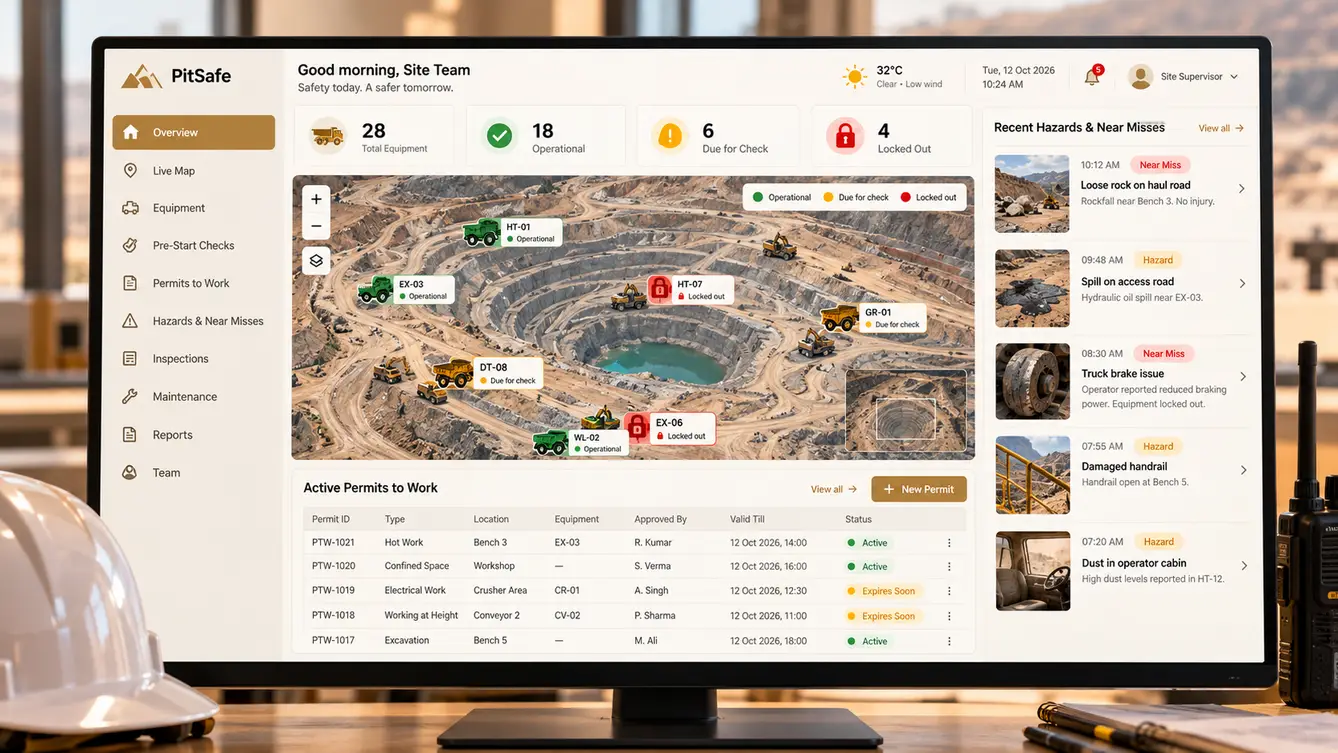
Rollout
We started with haul trucks on one shift, then extended to all equipment and shifts. The first time a failed brake check locked out a dumper before it left the parking area, the value of the system was obvious to everyone on site.
- Weeks 1–3Discovery
Shift changes observed; paper records reviewed.
- Weeks 4–5Design
Tablet flows tested with gloved operators.
- Weeks 6–14Build
Apps, lockout, permits, telematics and control room.
- Weeks 15–17Haul-truck pilot
One shift, one equipment class.
- Weeks 18–20Full site
All equipment and shifts.
What we learned
Make the safe path the only path. Linking checks to equipment start did more than any reminder.
Offline is a safety requirement. Reports had to be captured and timestamped at the moment, whatever the network.
- React Native
- Next.js
- NestJS
- PostgreSQL
- Offline-first sync over site mesh network
- Equipment telematics
- Anomaly detection
- On-site server with cloud backup
